Cap the bill before the request goes out.
A stuck retry loop with an unbounded max_tokens ran up an $8,000
bill over 11 days before anyone noticed. FitGuard is a self-hosted proxy that sits in front
of OpenAI, Anthropic, Gemini, Groq, and Together, and refuses a request that would push a
user over their budget.
curl localhost:8787/v1/chat/completions -d '{"model":"claude-sonnet-5", "max_tokens":50000, ...}'
429 {"error":{"message":"daily budget of $5.00 exceeded or would be exceeded by this request","type":"budget_exceeded"}}

→ nothing was sent upstream. nothing was spent.
Quickstart
Three commands to run it, then one changed line in your application.
Install
curl -fsSL https://raw.githubusercontent.com/Oluiy/ai-cost-guard/main/install.sh | sh
npm install -g fitguard
go install github.com/Oluiy/ai-cost-guard/cmd/fitguard@latest
Set it up
Interactive. Pick your providers, paste your real API keys, and add a budgeted user. You get back a virtual key.
fitguard init
Run it
fitguard run
# gateway   http://localhost:8787
# dashboard http://localhost:8787/dashboard
Point your app at it
Change the base URL and use the virtual key from step 2, not your real provider key. Nothing else in your code changes.
curl http://localhost:8787/v1/chat/completions \
  -H "Authorization: Bearer sk-guard-..." \
  -H "Content-Type: application/json" \
  -d '{"model":"gpt-4o","messages":[{"role":"user","content":"hello"}]}'
from openai import OpenAI
client = OpenAI(
base_url="http://localhost:8787/v1", # was api.openai.com
api_key="sk-guard-...", # from `fitguard init`
)import OpenAI from "openai";
const client = new OpenAI({
baseURL: "http://localhost:8787/v1", // was api.openai.com
apiKey: "sk-guard-...", // from `fitguard init`
});// was: BaseAddress = new Uri("https://api.openai.com/v1/")
var client = new HttpClient { BaseAddress = new Uri("http://localhost:8787/v1/") };
client.DefaultRequestHeaders.Authorization =
new System.Net.Http.Headers.AuthenticationHeaderValue("Bearer", "sk-guard-..."); // from `fitguard init`// was: URI.create("https://api.openai.com/v1/chat/completions")
HttpRequest.newBuilder()
.uri(URI.create("http://localhost:8787/v1/chat/completions"))
.header("Authorization", "Bearer sk-guard-..."); // from `fitguard init`// was: http.NewRequest("POST", "https://api.openai.com/v1/chat/completions", ...)
req, _ := http.NewRequest("POST", "http://localhost:8787/v1/chat/completions", body)
req.Header.Set("Authorization", "Bearer sk-guard-...") // from `fitguard init`
// was: client.post("https://api.openai.com/v1/chat/completions")
client.post("http://localhost:8787/v1/chat/completions")
    .bearer_auth("sk-guard-...") // from `fitguard init`
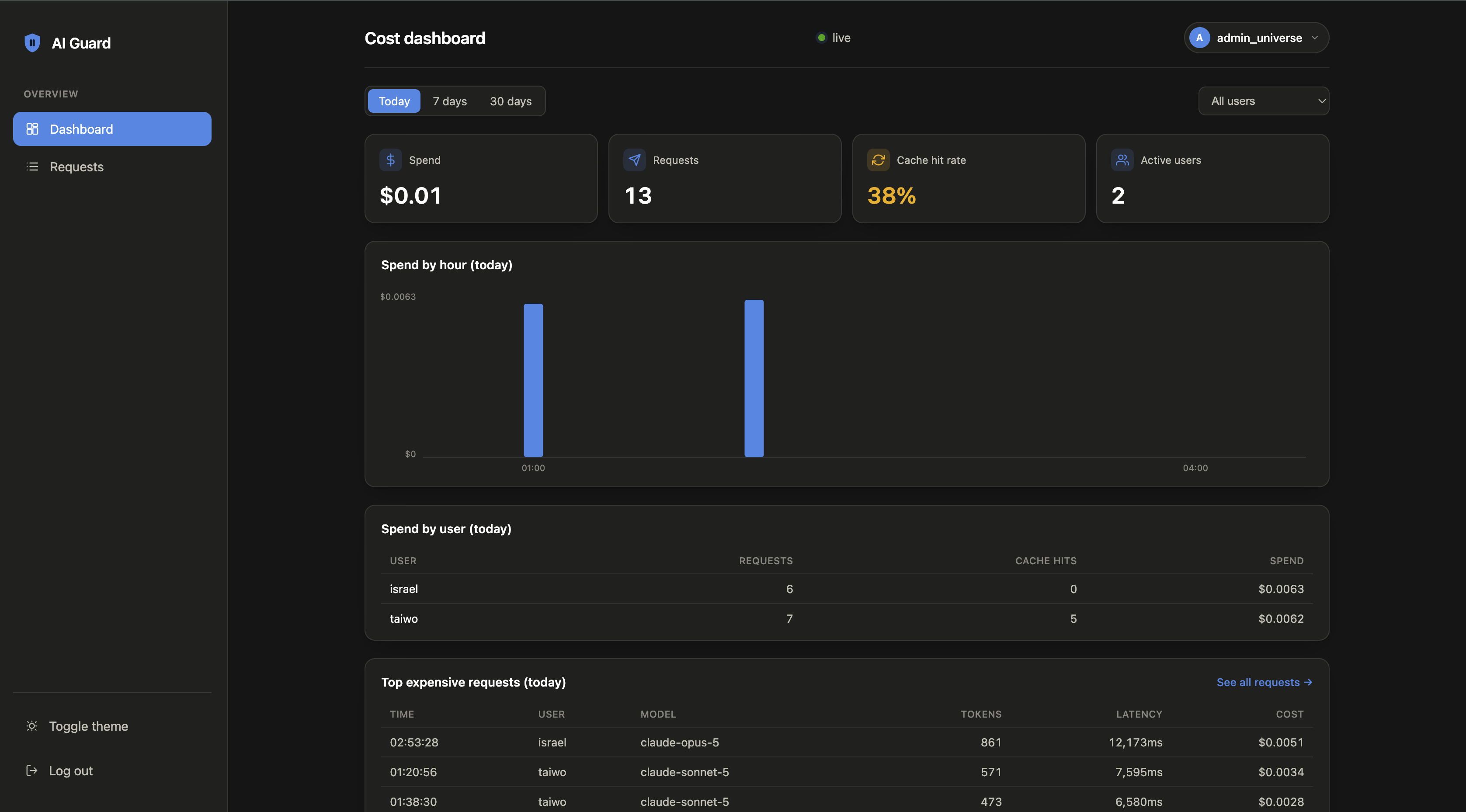
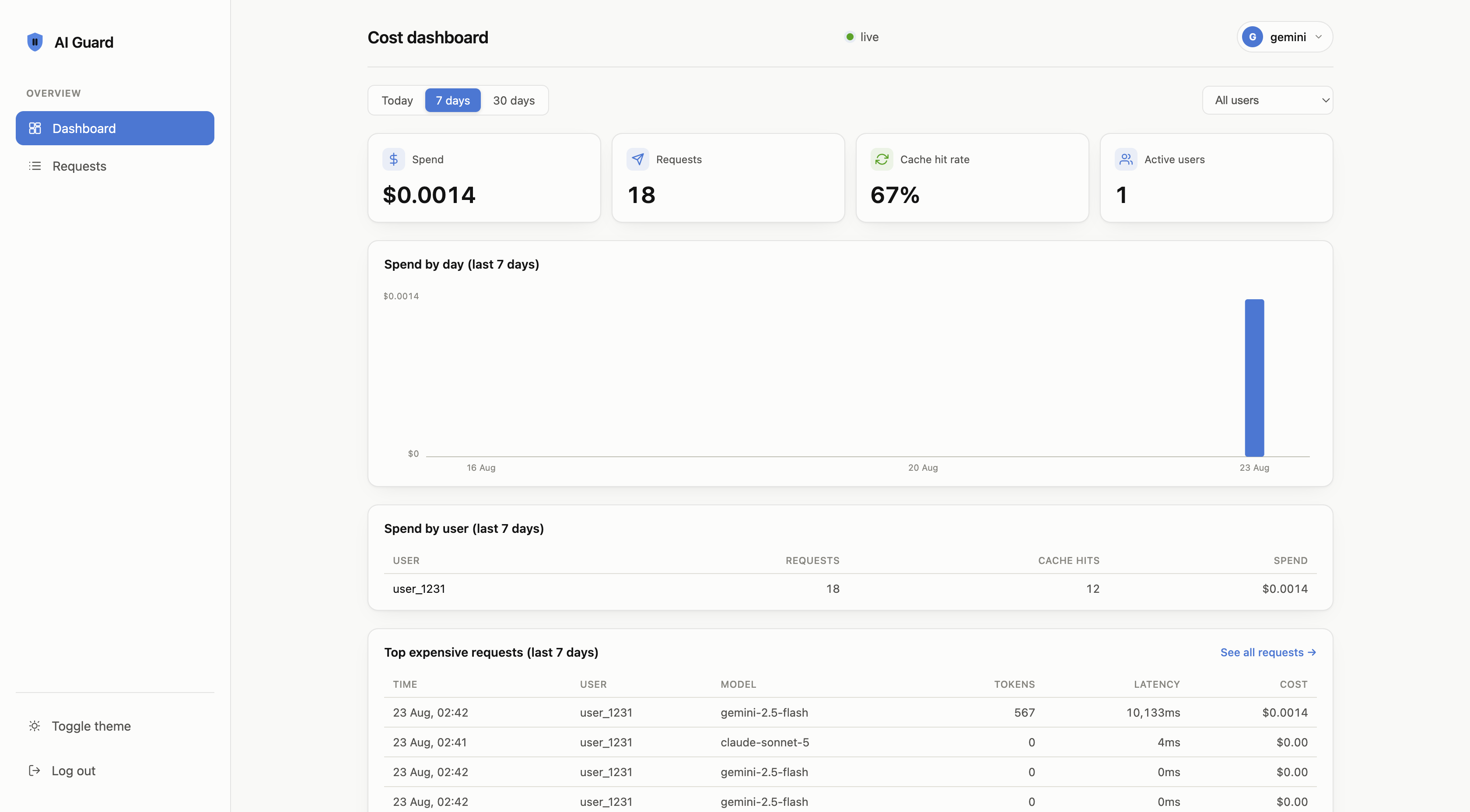
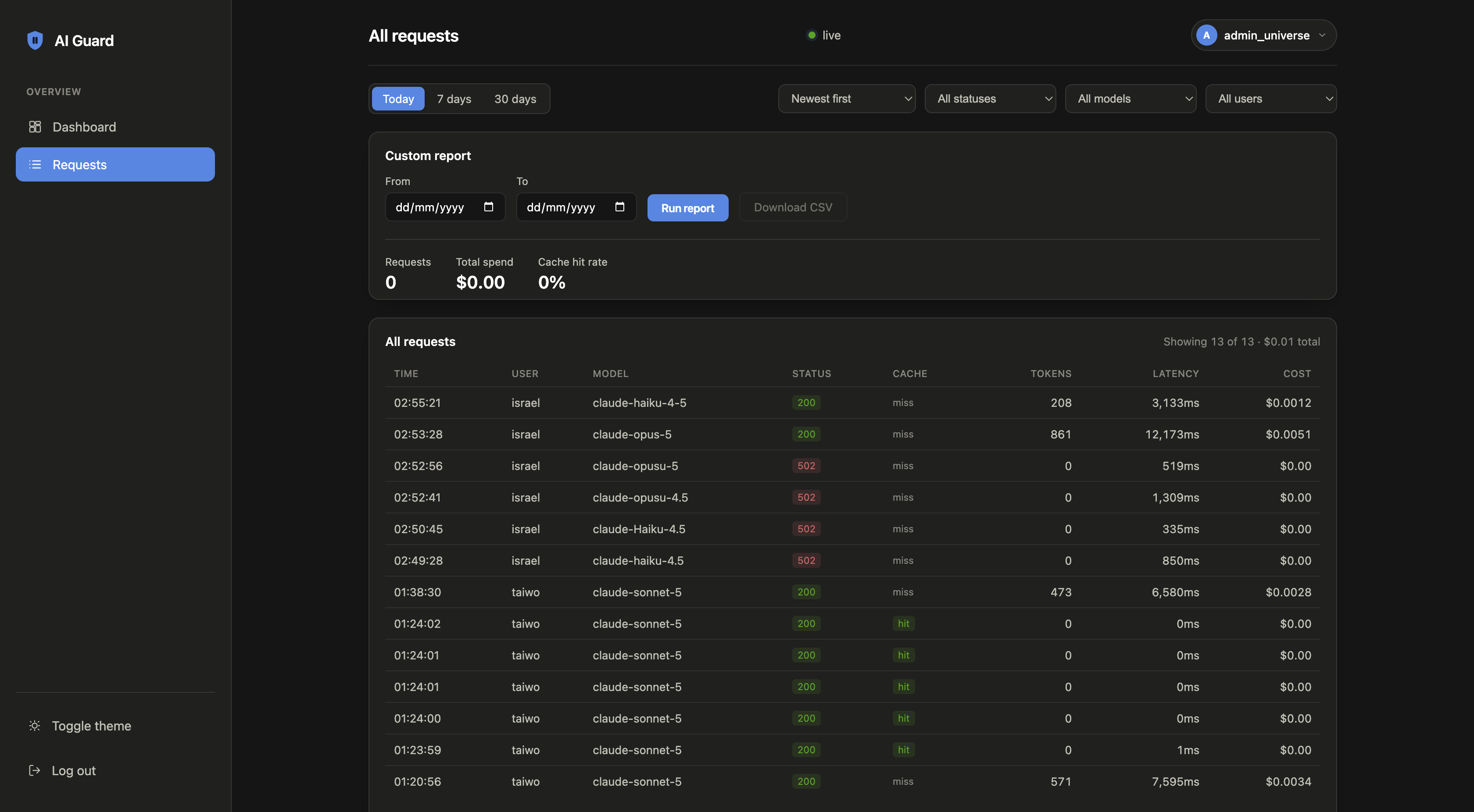
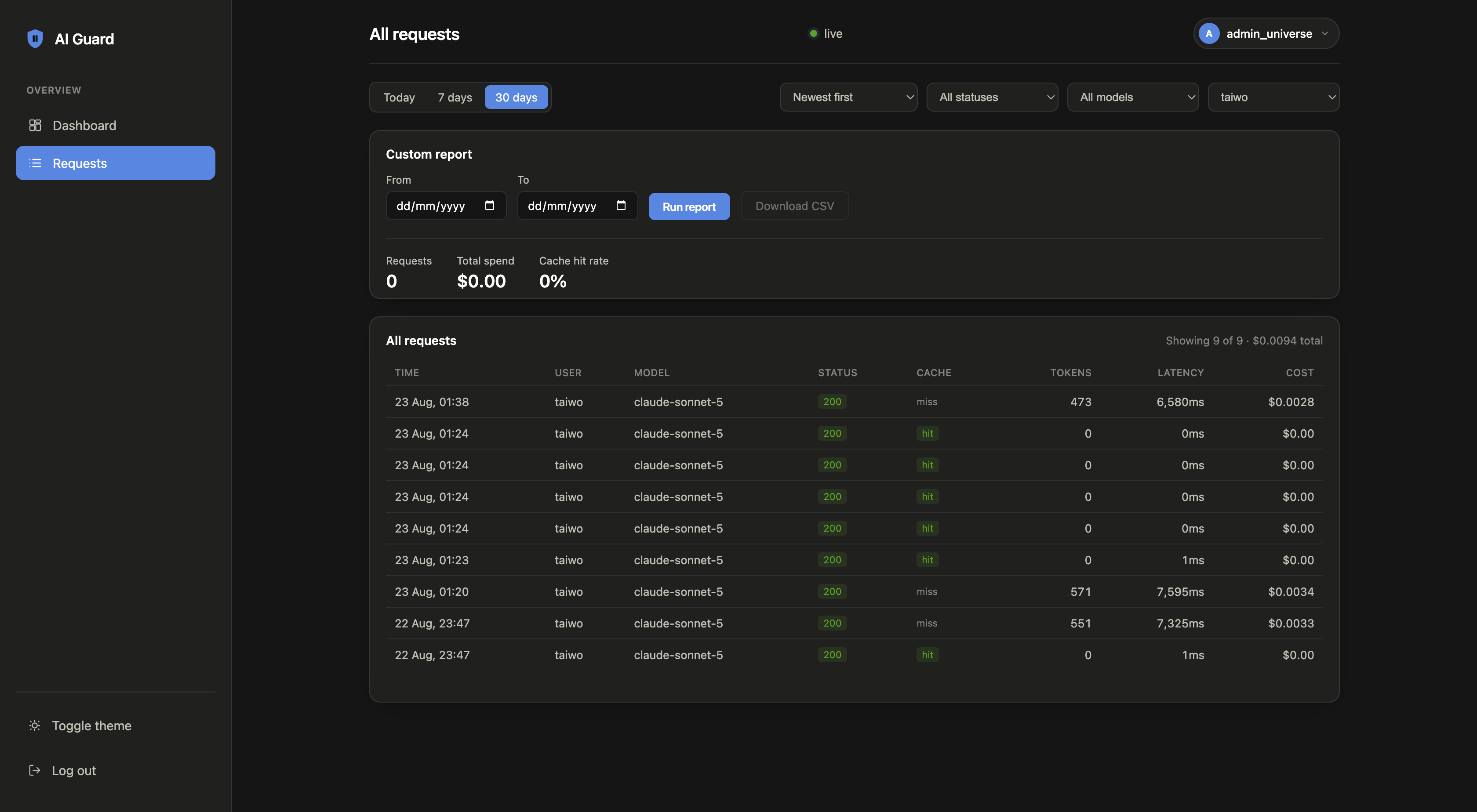
The dashboard
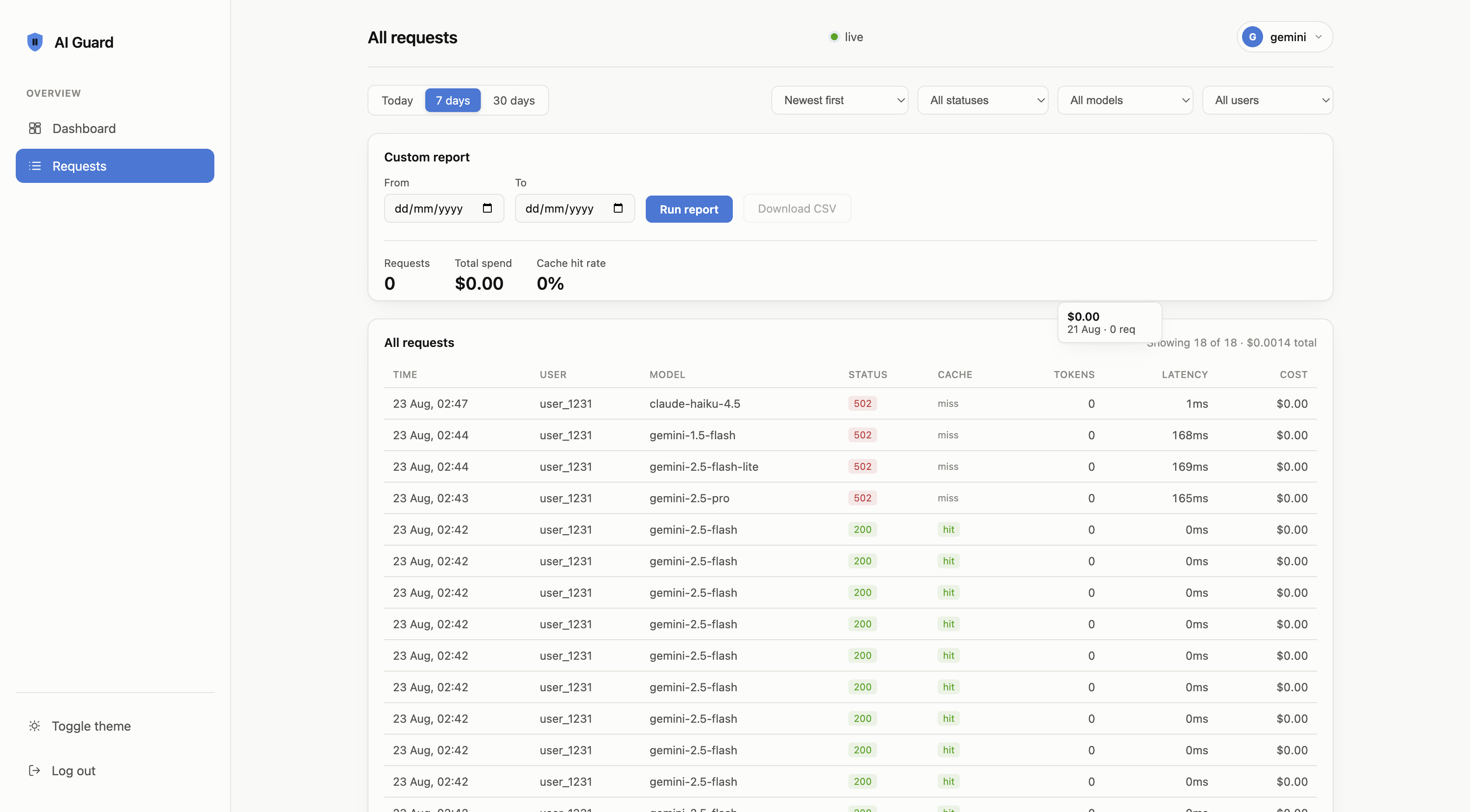
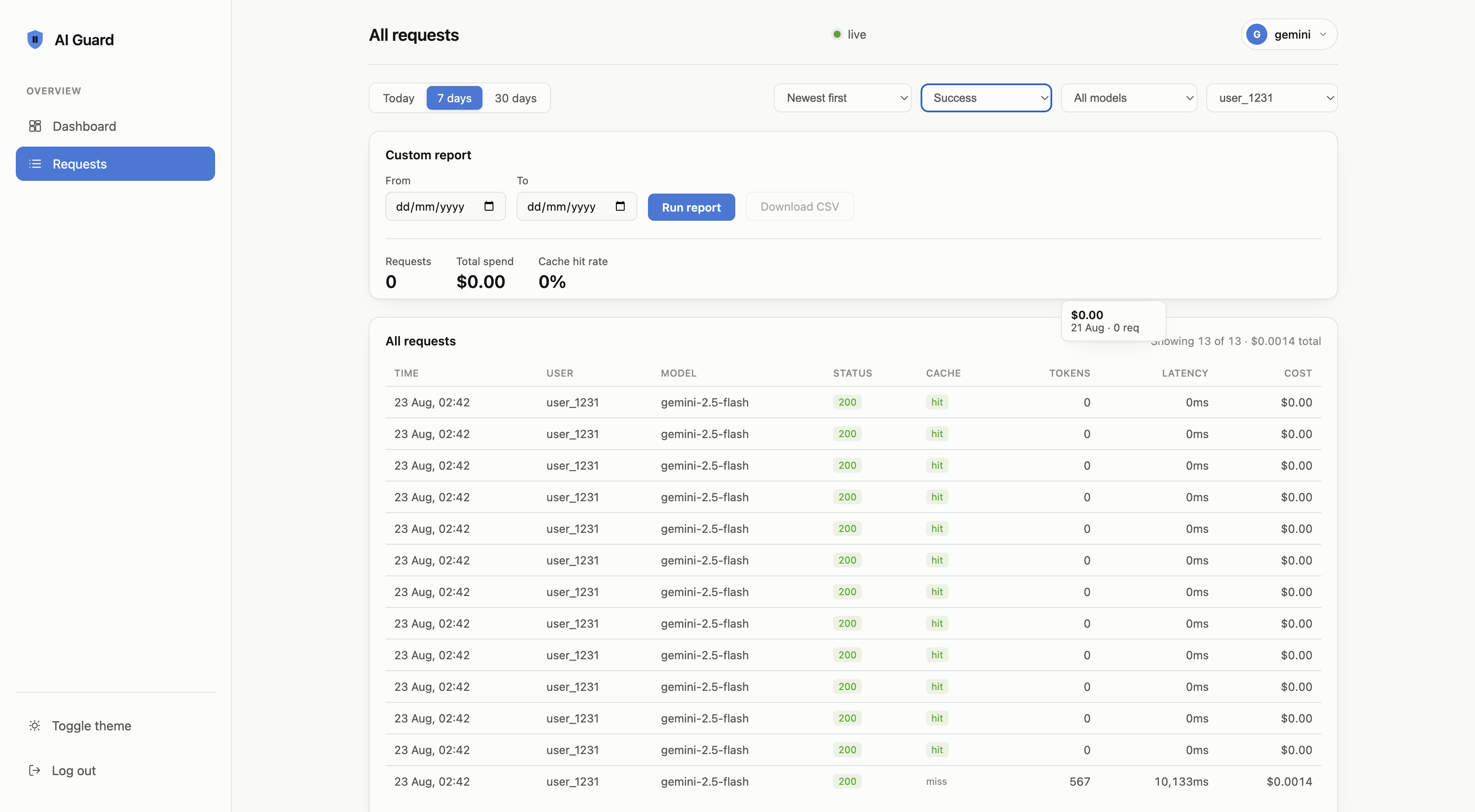
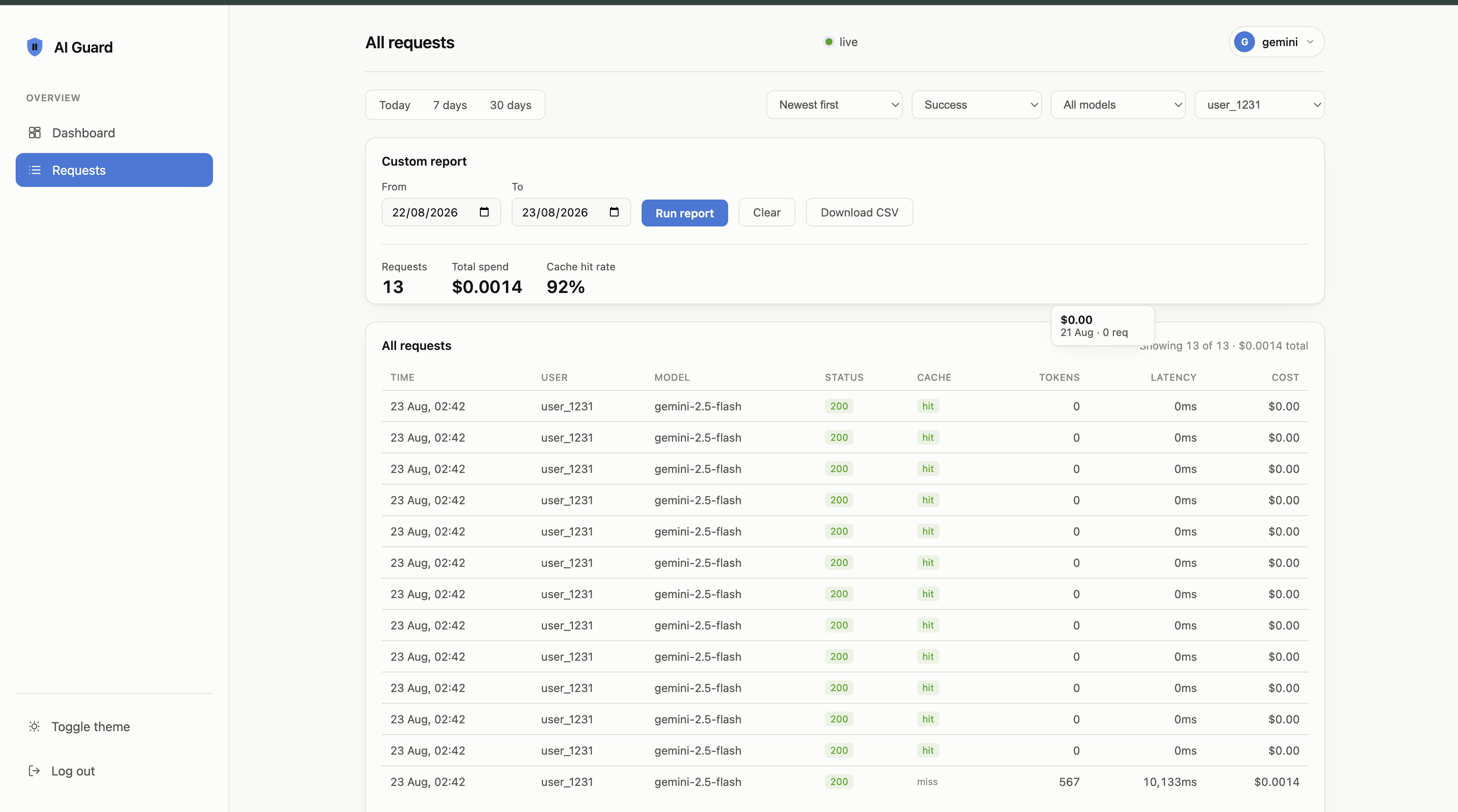
Spend, cache hit rate, request history, and custom date-range reports, served at /dashboard and updating live.
Why this exists
A caching bug in a retry loop kept re-sending the same oversized prompt with
max_tokens set high enough to matter. Nothing crashed, so nothing
paged anyone. Eleven days later, the bill was $8,000 higher than usual. The API key
worked exactly as designed. Nobody had put anything between the code and the invoice
that could say no.
Reserves cost before calling out
Each request's worst-case cost is estimated and held against the user's budget before it reaches the provider. Twenty concurrent requests can't all pass a check that only reads settled spend.
Serves repeat prompts from cache
Identical requests inside the TTL
(Time To Live) cost $0 and never reach the provider. Streaming clients get a real stream back, so caching still applies to them.
Retries on a fallback model
When a provider errors or rate-limits, the next model in your fallback list is tried before anything reaches the client. This works for streaming requests too.
Budgets tied to the key
Callers authenticate with a key FitGuard issued, so the budget applies to something they don't control. A header the client sets itself can be omitted on one code path and skip the limit entirely.
Logs every request's real cost
Cost, tokens, latency, cache status, and finish reason land in a local SQLite log. You can query where the month's spend actually went, per user and per model.
One binary you run yourself
No managed service and no third party in the request path. Your provider keys stay in your own config, and your application code never sees them.
Compared to a spend alert
Monitoring tells you what a runaway loop cost. A gateway in the request path can refuse it while it's happening.
| Sees the spend | Blocks it beforehand | Survives a concurrent burst | Keeps your keys local | |
|---|---|---|---|---|
| Calling the provider directly | after | ✕ | ✕ | ✓ |
| A billing alert or Slack bot | after | ✕ | ✕ | ✓ |
| FitGuard | before | ✓ | ✓ | ✓ |
Switching your app over
Change the base URL and the key. Your existing OpenAI SDK calls keep working as they are.
curl http://localhost:8787/v1/chat/completions \
  -H "Authorization: Bearer sk-guard-..." \
  -H "Content-Type: application/json" \
  -d '{
    "model": "claude-sonnet-5",
    "messages": [{"role": "user", "content": "hello"}]
  }'
from openai import OpenAI

client = OpenAI(base_url="http://localhost:8787/v1", api_key="sk-guard-...")
client.chat.completions.create(
    model="claude-sonnet-5",
    messages=[{"role": "user", "content": "hello"}],
)
import OpenAI from "openai";

const client = new OpenAI({
  baseURL: "http://localhost:8787/v1",
  apiKey: "sk-guard-...",
});

await client.chat.completions.create({
  model: "claude-sonnet-5",
  messages: [{ role: "user", content: "hello" }],
});
using System.Net.Http.Json;

var client = new HttpClient { BaseAddress = new Uri("http://localhost:8787/v1/") };
client.DefaultRequestHeaders.Authorization =
    new System.Net.Http.Headers.AuthenticationHeaderValue("Bearer", "sk-guard-...");

var payload = new {
    model = "claude-sonnet-5",
    messages = new[] { new { role = "user", content = "hello" } }
};
await client.PostAsJsonAsync("chat/completions", payload);
HttpClient client = HttpClient.newHttpClient();
String json = """
    {"model":"claude-sonnet-5","messages":[{"role":"user","content":"hello"}]}
    """;

HttpRequest request = HttpRequest.newBuilder()
    .uri(URI.create("http://localhost:8787/v1/chat/completions"))
    .header("Authorization", "Bearer sk-guard-...")
    .header("Content-Type", "application/json")
    .POST(HttpRequest.BodyPublishers.ofString(json))
    .build();
client.send(request, HttpResponse.BodyHandlers.ofString());
body, _ := json.Marshal(map[string]any{
    "model":    "claude-sonnet-5",
    "messages": []map[string]string{{"role": "user", "content": "hello"}},
})
req, _ := http.NewRequest("POST", "http://localhost:8787/v1/chat/completions", bytes.NewReader(body))
req.Header.Set("Authorization", "Bearer sk-guard-...")
req.Header.Set("Content-Type", "application/json")
http.DefaultClient.Do(req)
let client = reqwest::blocking::Client::new();
client.post("http://localhost:8787/v1/chat/completions")
    .bearer_auth("sk-guard-...")
    .json(&serde_json::json!({
        "model": "claude-sonnet-5",
        "messages": [{"role": "user", "content": "hello"}]
    }))
    .send()?;
Documentation
Reference for setup, the API surface, deployment, and the parts that aren't finished yet.
Getting started →
Install, configure, and send your first request through the gateway. Start here.
How it works →
The request lifecycle, how budget reservation handles concurrent requests, and how caching, routing, and fallback behave.
API reference →
Every endpoint, request shape, response header, and error code, with examples in five languages.
Providers →
OpenAI, Anthropic, and Gemini: what to configure, what gets translated, and what each one supports.
Deployment →
Docker, DigitalOcean, and PaaS hosts, running on your own subdomain, and what to change before scaling past one instance.
Troubleshooting →
Common errors and their causes, plus the current list of known limitations.